Accessing log attachments in Python scorers
Last updated: February 7, 2026
Summary
Goal: Access log attachment data within Python custom scorers using the ReadonlyAttachment class.
Features: Custom scorers, ReadonlyAttachment class, attachment data retrieval methods.
Applicable To
Plans: Any
Deployments: Any
Configuration Steps
Step 1: Import ReadonlyAttachment
Import the ReadonlyAttachment class from the Braintrust logger module.
from braintrust.logger import ReadonlyAttachmentStep 2: Access attachment in scorer
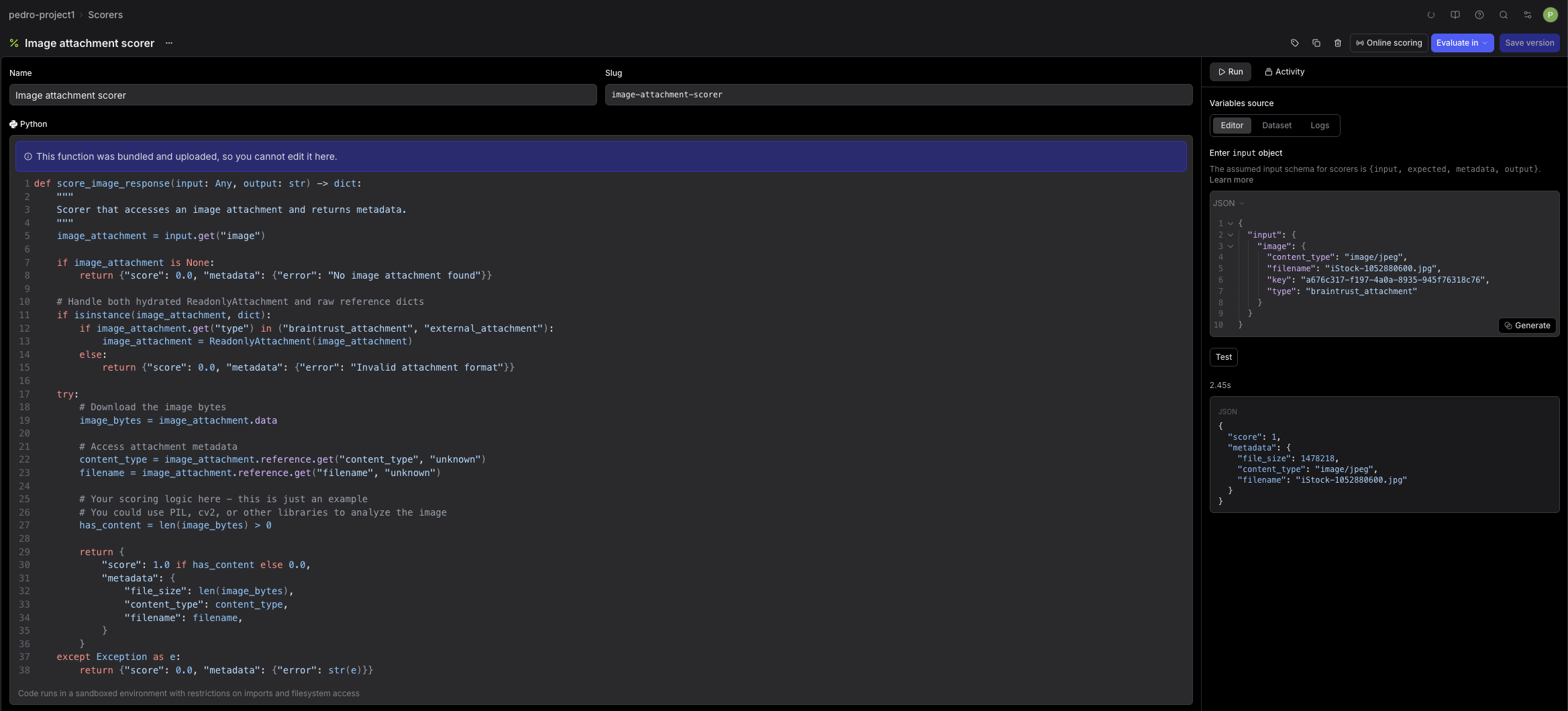
Attachment objects in scorer parameters contain metadata only; use ReadonlyAttachment methods to retrieve actual data.
def score_image_response(input: Any, output: str) -> dict:
    """
    Scorer that accesses an image attachment and returns metadata.
    """
    image_attachment = input.get("image")

    if image_attachment is None:
        return {"score": 0.0, "metadata": {"error": "No image attachment found"}}

    # Handle both hydrated ReadonlyAttachment and raw reference dicts
    if isinstance(image_attachment, dict):
        if image_attachment.get("type") in ("braintrust_attachment", "external_attachment"):
            image_attachment = ReadonlyAttachment(image_attachment)
        else:
            return {"score": 0.0, "metadata": {"error": "Invalid attachment format"}}

    try:
        # Download the image bytes
        image_bytes = image_attachment.data

        # Access attachment metadata
        content_type = image_attachment.reference.get("content_type", "unknown")
        filename = image_attachment.reference.get("filename", "unknown")

        # Your scoring logic here - this is just an example
        # You could use PIL, cv2, or other libraries to analyze the image
        has_content = len(image_bytes) > 0

        return {
            "score": 1.0 if has_content else 0.0,
            "metadata": {
                "file_size": len(image_bytes),
                "content_type": content_type,
                "filename": filename,
            }
        }
    except Exception as e:
        return {"score": 0.0, "metadata": {"error": str(e)}}
Step3: Test